Introduction
This guide will cover creating tile-based maps for our guides, such as the below examples:
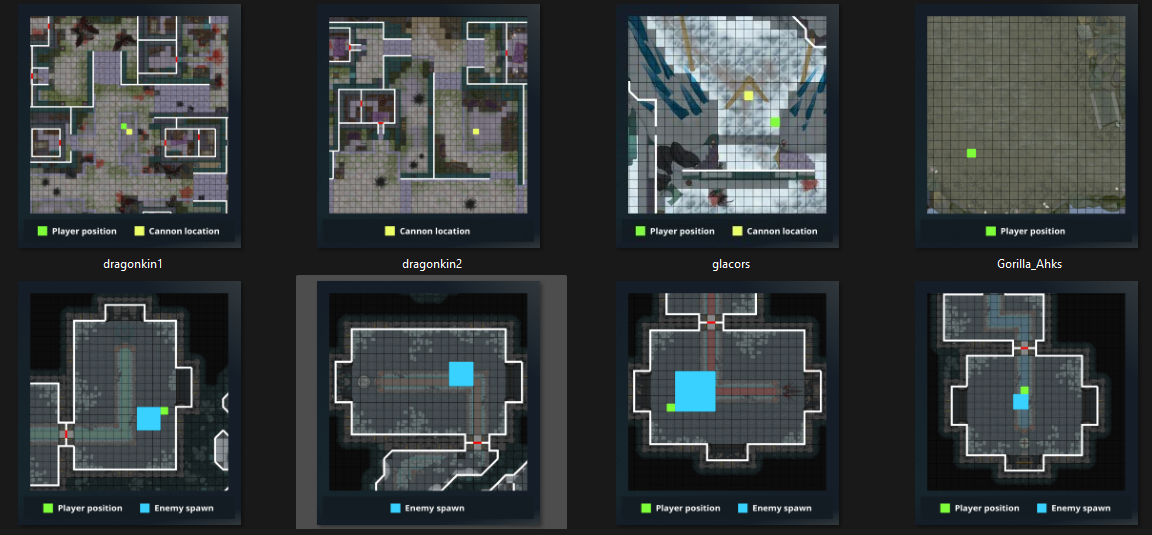
Method 1: Creating using web app
Method 2: Creating via coding
Step 1
1.1 Run the first code section by clicking the first play button
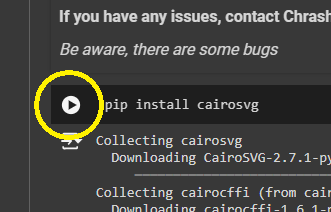
Step 2
2.1. Scroll down to the second code section and edit the variables between the two lines of #########
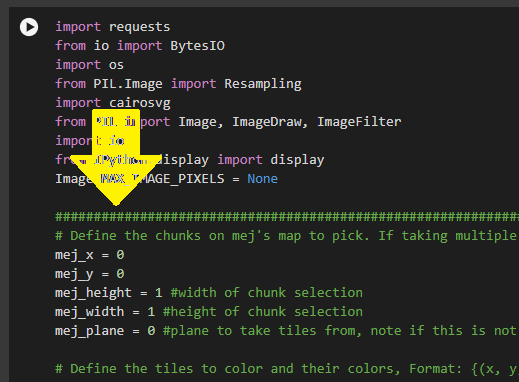
Notes:
a. Check Referenced guide unavailable in this snapshot first for already created maps and variables sets to save you time
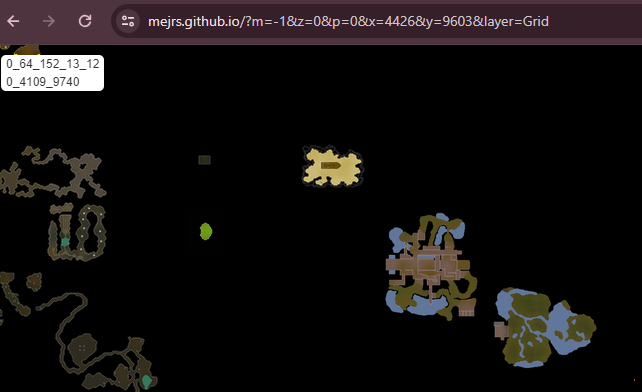
b. You can find map chunks by visiting https://mejrs.github.io/
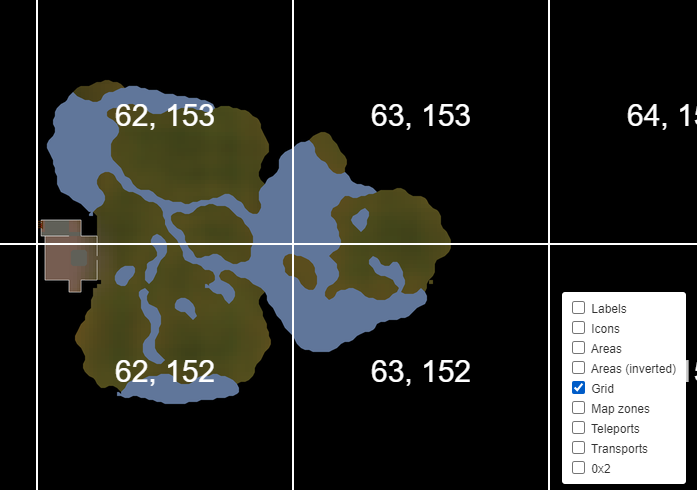
⬩ Turn on the grid layer by hovering over the icon in the bottom-right
⬩ If you struggle to find a specific area the RS Wiki has a page listing common locations - simply replace the -1 in the mej URL to the corresponding map ID
2.2. If unsure about the coloured tile markings, enter a number around where you think for player/cannon etc, then tweak and re-run the code
2.3. Choose how many tiles to trim off each side of the image (left,upper,right,bottom)
2.4. Select which legend to use from the listed options
2.5. Remove the # from any lines you have set (any lines with a # will not be executed)
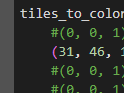
Step 3
3.1. Run the main code
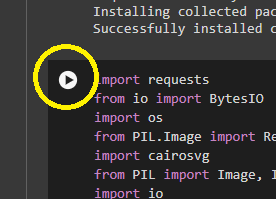 3.2. Wait for the code to execute - you can track its progress at the bottom of your browser

Step 4
4.1. Scroll to the very bottom of the page to view your created map and right click > save when happy, or scroll back up and tweak the variables if it's not right
Real example
The objective: make a player position map for the new Osseous AFK guide.
First we find the Rex Matriarch arena (we've had to scroll across Mej's map to find it):
Next, we add map gridlines on so we know which map chunks to reference:
Now we want to reduce the map to just the Osseous arena (highlighted by the yellow box), which crosses multiple map chunks.
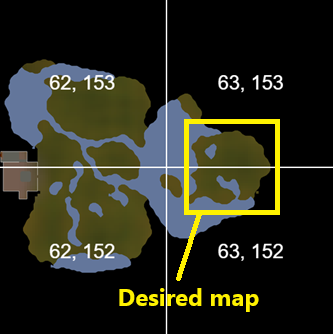
First we set the x and y values to be of the top tile (63,153)
mej_x = 63
mej_y = 153
Next let's make it so 2 tiles are shown vertically
mej_height = 2
mej_width = 1
If we ran the code now, it would give us this:
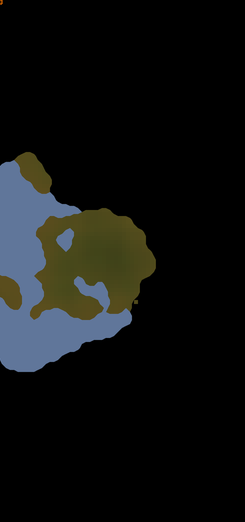
Let's trim off the sides and press the run button to check our map:
left = 1
upper = 43
right = 21
lower = 43
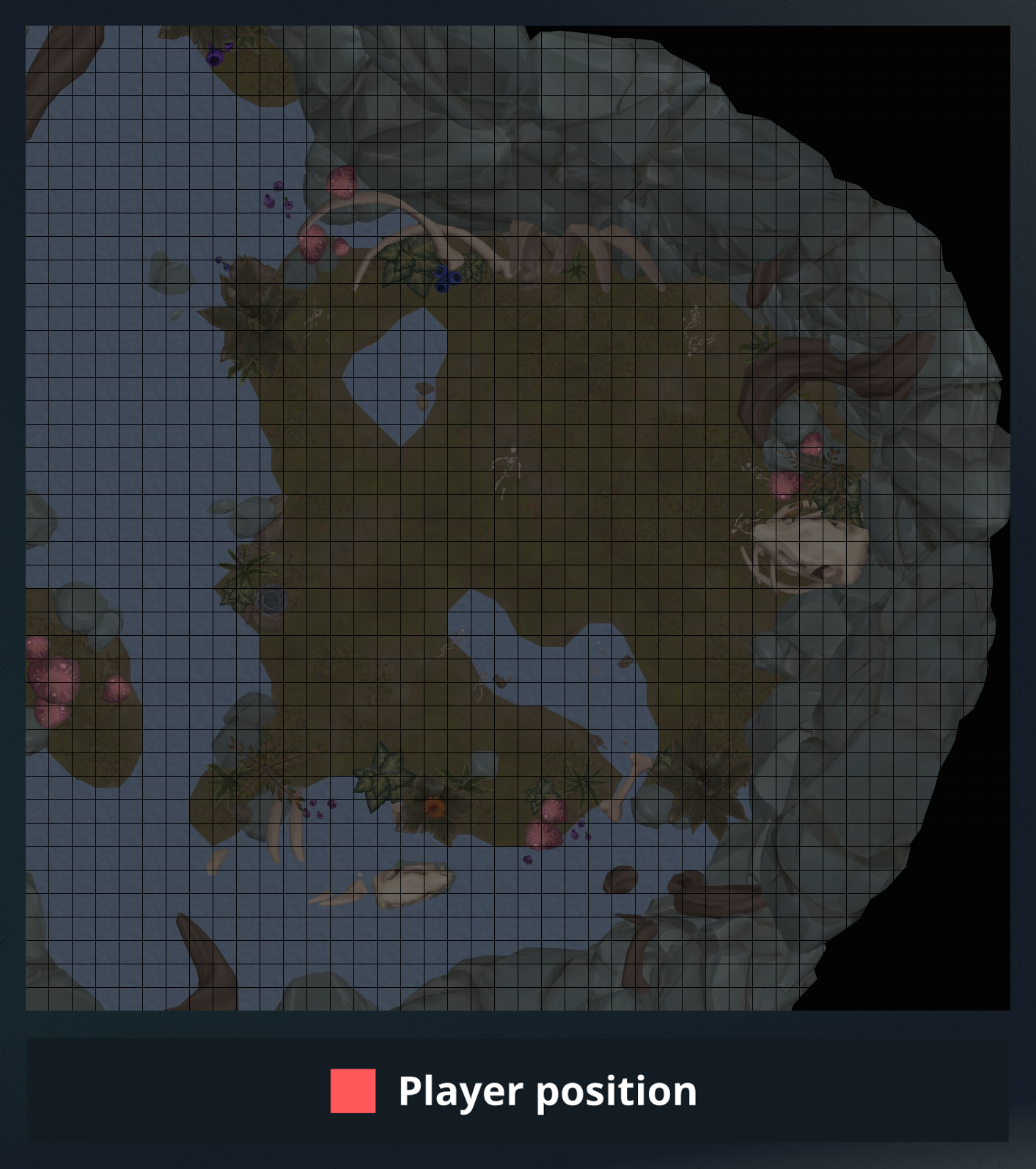
It's almost there! Let's cut off some of that excess map, put a coloured tile for the player position, and set the legend to show just 'player position':
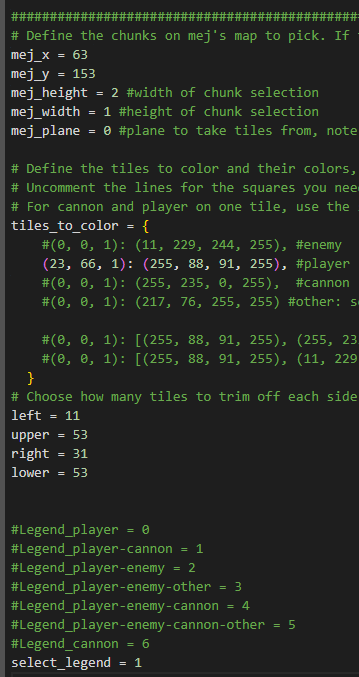
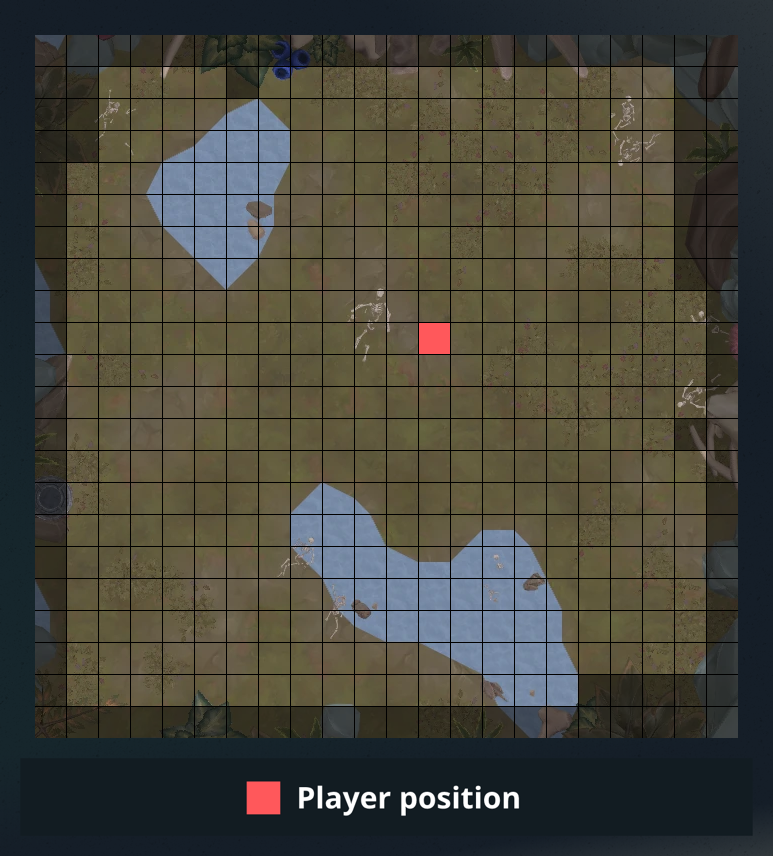
Now let's hit the run button again... we did it!
Source record
By PvME contributors under CC BY-NC-SA 4.0. Navigation and typography adapted. Original sanitized source HTML and its text hash are retained separately. Source channel and message references are repaired using the pinned guide repository and public directory/identity evidence; navigation wording is adapted for the web. Every change is recorded in the reference repair ledger. Unverified destinations and contributor names remain explicitly unavailable. Legitimate external community and attribution links are preserved and labeled. Original media is embedded from providers; media rights are separate from guide-text rights.
Captured 2026-11-10T14:23:44Z. Game-version accuracy is unverified.
MediaWiki draft ↓